
Obsidian & Claude: a match made in heaven
How I connected Obsidian, Claude, Linear, and Granola into a morning briefing that knows what I'm working on.
Before I get into this: there are probably a hundred ways to achieve what I’m about to describe, and most of them are equally valid. My setup didn’t arrive fully formed. It evolved over several months of trying things, breaking things, and slowly landing somewhere I’m actually happy with. If your approach is different, that’s fine. This is just what works for me.
I wrote recently about how AI has fixed my productivity. This post is about how, specifically.
For a while, I’ve been using Claude for note-taking assistance, drafting, and the odd bit of code review. It was useful but fundamentally shallow: every conversation started from scratch, with no idea who I am, what I’m working on, or what happened in yesterday’s meetings. I’d spend more time explaining context than actually getting anything done.
That’s the problem this setup solves. It’s not one clever hack but a few things working together: a structured Obsidian vault, reliable sync, a headless server, and Claude with enough connections that it can actually understand the shape of my day.
Starting with the structure
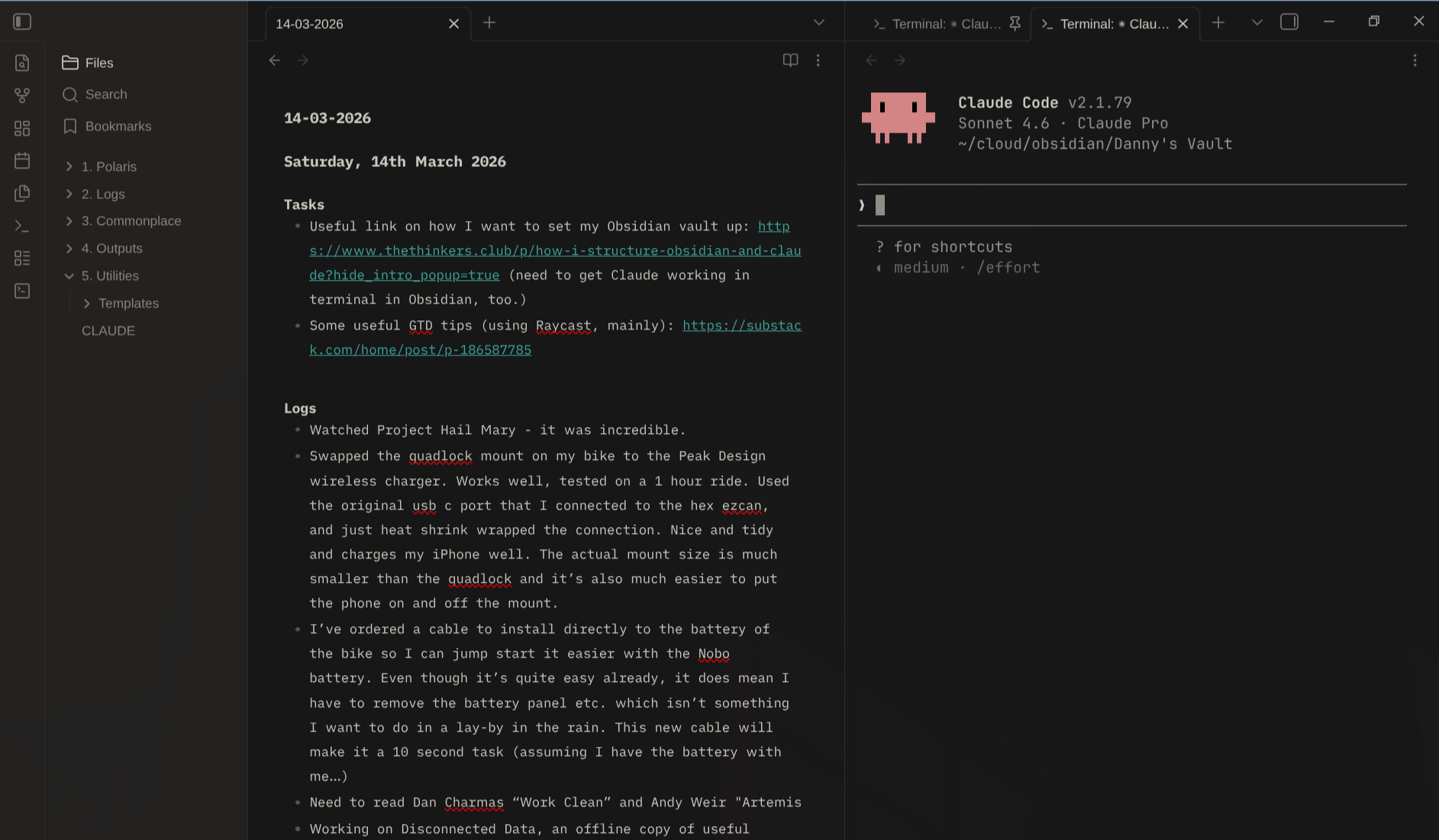
The vault layout came almost entirely from a post by James Bedford on The Thinkers Club. His five-folder structure is simple enough to stick to long term:
- Polaris: current goals, priorities, and what’s top of mind
- Logs: daily, weekly, monthly, and quarterly notes
- Commonplace: individual thought notes and knowledge
- Outputs: shared writing, meeting transcripts, anything AI-generated
- Utilities: templates and reference material
The key principle I took from his approach: keep AI-generated content out of the main knowledge graph. Granola meeting notes, AI summaries, exported content: all of it lives in Outputs rather than mixed into Commonplace. The knowledge graph stays clean because it only contains things I actually wrote.
Tags do a lot of the navigation work. I use nested hierarchies like #work/project-name and #tech/networking, which are portable (they survive app changes), queryable, and work well with Claude for targeted analysis.
The sync question
Running Obsidian across multiple devices — laptop, phone, and a Linux server — means you need a sync strategy. I spent some time looking at the options: git-based sync, Syncthing, iCloud, various self-hosted approaches. Each had friction. Git sync works beautifully until you make a quick edit on your phone and forget to commit. Syncthing is fine but needs babysitting.
I ended up on Obsidian Sync. It’s not free and it’s not self-hosted, but it just works. Notes appear on every device within a few seconds. The mobile client is properly maintained. There are no edge cases to think about. For a system that’s supposed to reduce friction, adding sync friction felt like the wrong trade.
The one nuance: Obsidian Sync and automated writes can conflict if writes aren’t handled carefully. For a while I had Claude editing vault files directly via the filesystem, which worked fine, until it didn’t. Sync errors started cropping up: partial writes propagating to other devices, files getting into odd states. Switching to the MCP approach (more on that below) fixed this entirely, because the server uses atomic writes: write to a temp file first, then rename it into place. Sync never sees a half-written file.
Headless Obsidian on Linux
Obsidian ships an official headless mode, designed specifically for running on servers without a display. I’m running it on a cloud-hosted Ubuntu server on Hetzner: Obsidian headless starts on boot, connects to Obsidian Sync, and keeps the vault directory current. No desktop, no GUI, just the sync process doing its job in the background.
The vault ends up as a folder of markdown files on disk, always up to date, ready for the MCP server to read and write.
The web MCP
Most Obsidian MCP servers are local stdio servers: they work when Claude Code is running on the same machine as your vault. That’s a reasonable setup on a single machine, but it means Claude.ai on the web and Claude on your phone can’t reach your vault at all.
obsidian-web-mcp by Jim Prosser takes a different approach. It’s a persistent HTTP service that runs on the machine where your vault lives, authenticated via OAuth 2.0, and accessible over the network. The vault files never leave your machine.
For remote access, the README suggests Cloudflare Tunnel. I already run Tailscale across all my devices, so I went that route instead: the MCP server listens on the local network, Tailscale makes it reachable from my phone, laptop, and anywhere else I’m signed in. No inbound ports, no public IP, same security guarantees. If you’re already on Tailscale, it’s the path of least resistance.
The tool set covers everything you’d need: reading files, searching full text, querying frontmatter, writing, moving, and batch operations. Soft deletes move files to .trash/ rather than permanently removing them, which matches Obsidian’s own behaviour. Setting it up took about an hour. The MCP server runs as a systemd service on my Linux server, pointed at the vault directory that Obsidian Sync keeps current.
The full picture
With the vault accessible as an MCP tool, Claude becomes genuinely context-aware. But the vault is only one piece. I also have Claude connected to:
- Linear: work task management, where all my open issues live
- Granola: records and transcribes work meetings, then exports them to the Obsidian vault automatically via my Granola-to-Obsidian extension
- Work calendar: read and write access, so Claude can check availability, flag changes, and create events
- Slack: connected to my work workspace, so Claude can read DMs, send messages, and flag conversations that need a reply
That combination is where things get interesting. Every work meeting I attend ends up as a structured note in 4. Outputs/Granola/. My open tasks across every project exist in Linear. My daily notes, thinking, and priorities live in Obsidian. Claude can see all of it. I also have Claude connected to my work calendar.
What this actually looks like in practice
Here’s a concrete example. I can tell Claude: “arrange a call with Paul and set the agenda to any open or relevant topics we have.”
From that single sentence, Claude will go and do all of this without further prompting. It checks our recent meeting notes in the Obsidian vault, where every Granola transcript lives thanks to the export extension, to see what we’ve already covered and what was left unresolved. It searches Linear for any open issues assigned to either of us that would be worth discussing. It looks at both our calendars to find a slot that works. Then it creates the calendar invitation, attaches a ready-made agenda of open topics pulled from those sources, and sends it.
If I want, it can also drop Paul a Slack message to give him a heads up and ask if there’s anything he’d like to add.
The reason that works isn’t clever prompting. It’s that every source Claude needs is connected and indexed: meeting history in Granola, tasks in Linear, calendar events directly, and any relevant notes in Obsidian. The context is already there. The prompt just tells it what to do with it.
Quick capture on the go
One of the inputs into this whole system is an iPhone shortcut triggered by the Action Button. Press it, type whatever’s on my mind, done. The shortcut drops the note straight into 3. Commonplace/Personal/Quick Thoughts in the vault.
What I type varies wildly. Sometimes it’s a task I don’t want to forget. Sometimes it’s a movie review I want to write up while it’s fresh. Sometimes it’s a half-formed idea. It doesn’t matter, and that’s the point: the only rule is zero friction at the point of capture. I don’t categorise it, tag it, or decide where it belongs. I just type and close my phone.
Claude handles the rest during the morning routine. It reads whatever landed in Quick Thoughts overnight and decides what to do with it. Work tasks become Linear issues and get added to the daily note. Reminders become checkboxes. A movie review gets filed as a note. Anything ambiguous gets surfaced to me with a suggested action rather than silently misfiled.
The morning routine
The part that pulled this together was building an automated morning routine. A launchd job fires at 8am and runs a single Claude command. Claude then:
- Checks today’s daily note, creating it from template if it doesn’t exist yet
- Compares the calendar against what’s already in the note, flagging any changes overnight
- Processes anything in Quick Thoughts: tasks become checkboxes and Linear issues, everything else gets filed or surfaced
- Pulls every open Linear issue assigned to me across all teams and adds anything not already listed to the Tasks section, sorted by urgency
- Checks Slack for any DMs where the last message is from someone else and I haven’t replied, flagging each one with the gist of what they need
- Surfaces a short briefing: calendar changes, extracted tasks, overdue issues, unreplied DMs, and a one-line reminder of the day’s key meetings
The daily note ends up pre-populated before I’ve looked at a screen. Meetings have log entries ready to fill in. Tasks from both Linear and overnight captures are already there as checkboxes.
At the end of the day, I just tell Claude “let’s wrap up today and get ready for tomorrow.” It summarises the meetings from the vault into the Logs section of the daily note, then creates tomorrow’s note pre-populated with whatever Linear items are due.
Where this lands
None of this required building anything particularly complex. The vault structure is someone else’s good idea, Obsidian Sync is an off-the-shelf product, obsidian-web-mcp is an open source project, and Claude handles the orchestration. The work was in connecting the pieces and writing clear enough instructions (in a CLAUDE.md file in the vault) that Claude knows what to do with the context it has.
The result is a morning briefing that knows what meetings I have, what I was supposed to finish yesterday, and what landed in my capture queue overnight. It’s not magic, but it does mean the first five minutes of my day involve less context reconstruction and more actually thinking.
Beyond the routine, what I’ve ended up with is a genuinely resourceful personal assistant that understands the full context of my working life, and a comprehensive record of pretty much everything I do at work. Every meeting, every task, every quick thought captured on the go: it’s all there, connected, and queryable. That’s not something I had before, and it turns out it’s more useful than I expected.